

Apps
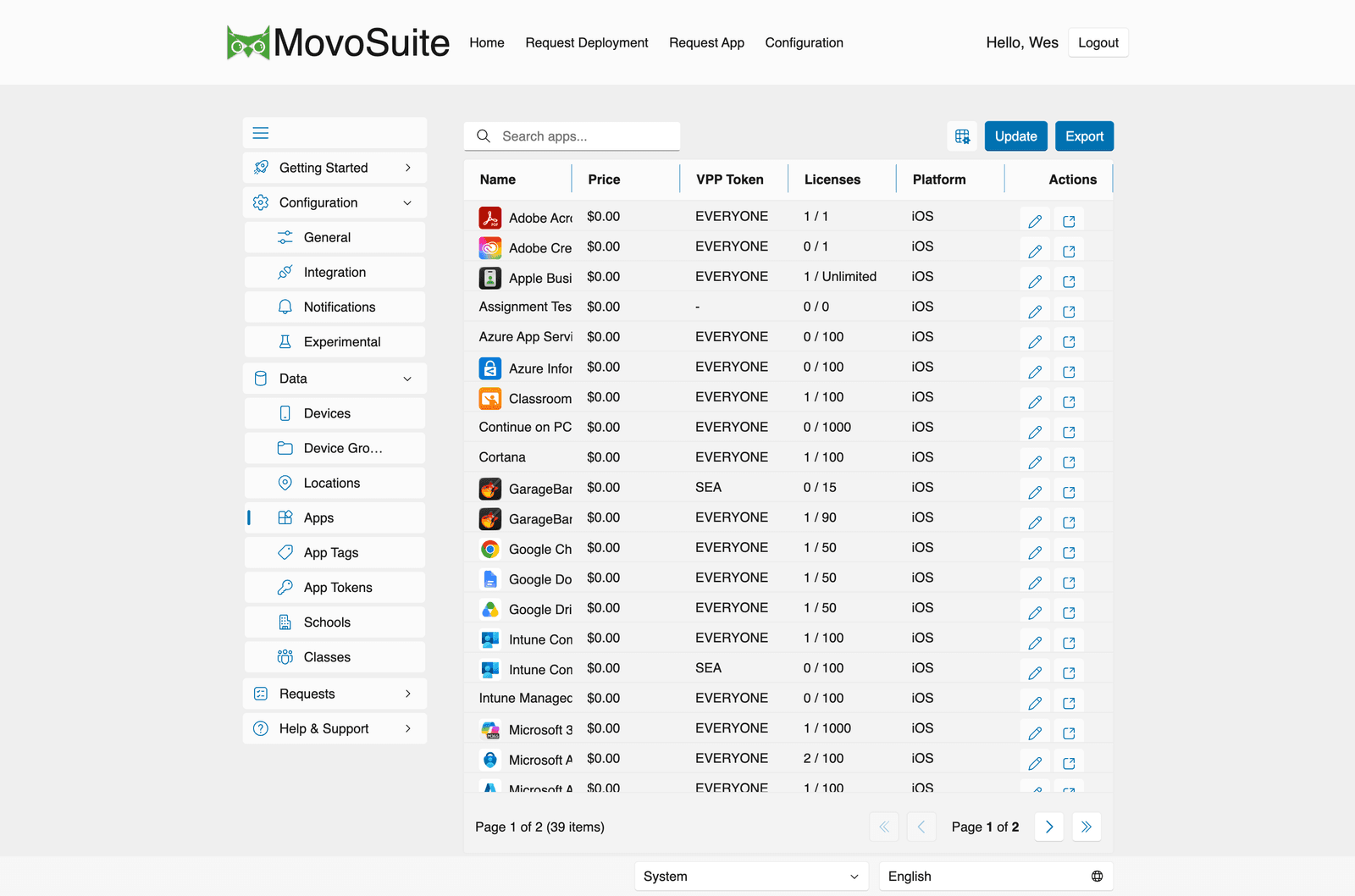
Data → Apps lists the apps in your catalog. The table shows Name, Price, VPP Token, Licenses (used / total), and Platform, with per-row Actions (edit, and open in the App Store). Above the list:
- Update — refresh the catalog from Intune and VPP on demand.
- Export — export the app list.
Editing an app lets you configure whether it:
- requires a billing code to deploy,
- requires admin approval to deploy,
- is hidden from the self-service form, and
- carries one or more app tags (which drive the All Tags filter in the deployment form).
MovoSuite keeps each app’s artwork and description current from Apple, and surfaces the app Bundle ID (useful for Home Screen / folder-layout configuration profiles in Intune) and license counts.
Install / remove groups
Section titled “Install / remove groups”MovoSuite automatically provisions a pair of install and remove groups per app
(default prefix Z-AG, configurable under General → Naming) and
assigns the appropriate Intune app intent to each. During self-service deployment, devices
are added to or removed from these groups to drive the install or uninstall in Intune. See
also Device groups.