Experimental
Configuration → Experimental enables preview features. These are still being validated with customers — enable at your own risk, and re-check the Changelog on upgrade in case a preview feature has graduated or changed.
Available features
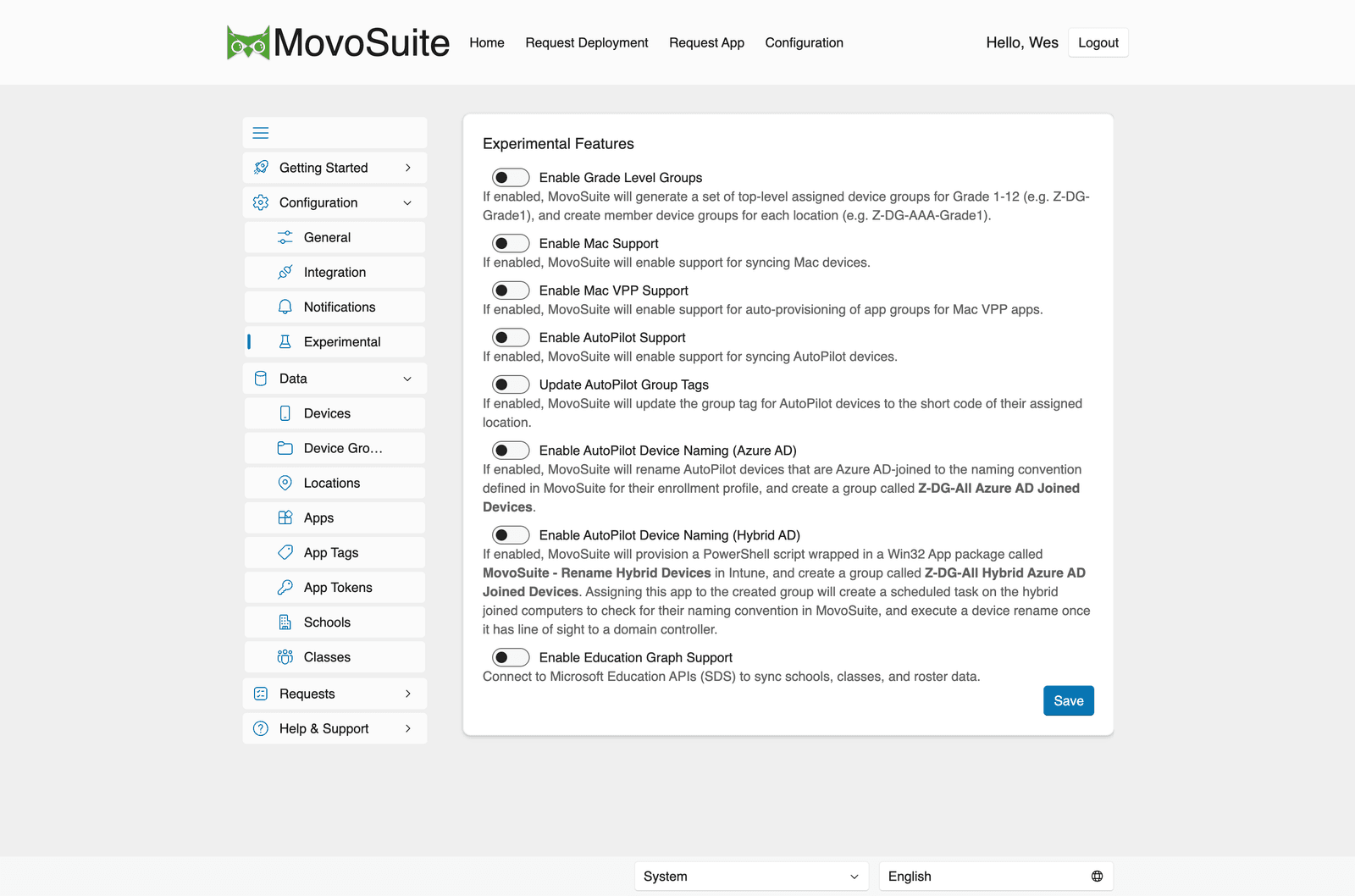
Section titled “Available features”- Enable Grade Level Groups — intended to generate top-level grade device groups (named
like
Z-DG-All Grade 1 Devices, andZ-DG-All Kindergarten Devices) plus per-location member groups (named likeZ-DG-AAA-Grade 1 Devices). Note: this toggle is persisted but the group-generation helpers currently have no live callers — treat it as planned/inactive rather than active behavior. - Enable Mac Support — sync Mac devices and show them in Configuration → Data → Devices. Self-service deployment of Mac apps/devices is a separate SelfService flag (not required for the admin Devices list).
- Enable Mac VPP Support — auto-provision app groups for Mac volume-purchased apps.
- Enable AutoPilot Support — sync AutoPilot devices.
- Update AutoPilot Group Tags — set each AutoPilot device’s group tag from the configured source (Assigned Group Tag, Custom Grouping Value, Location Code, or None). It equals the location short code only when the source is set to Location Code.
- Enable AutoPilot Device Naming (Azure AD) — rename Entra-joined AutoPilot devices to
the naming convention for their enrollment profile, and create a
Z-DG-All Azure AD Joined Devicesgroup. - Enable AutoPilot Device Naming (Hybrid AD) — manage a
Z-DG-All Hybrid Azure AD Joined Devicesgroup for hybrid-joined computers. A PowerShell rename package (RenameComputer.ps1) ships with the build for this scenario, but it is not auto-provisioned as a Win32 app by the current backend — deploy it yourself if you need hybrid renaming. - Enable Education Graph Support — connect to Microsoft Education APIs (SDS) to sync schools, classes, and roster data. When enabled, Schools and Classes screens appear under the Data section.
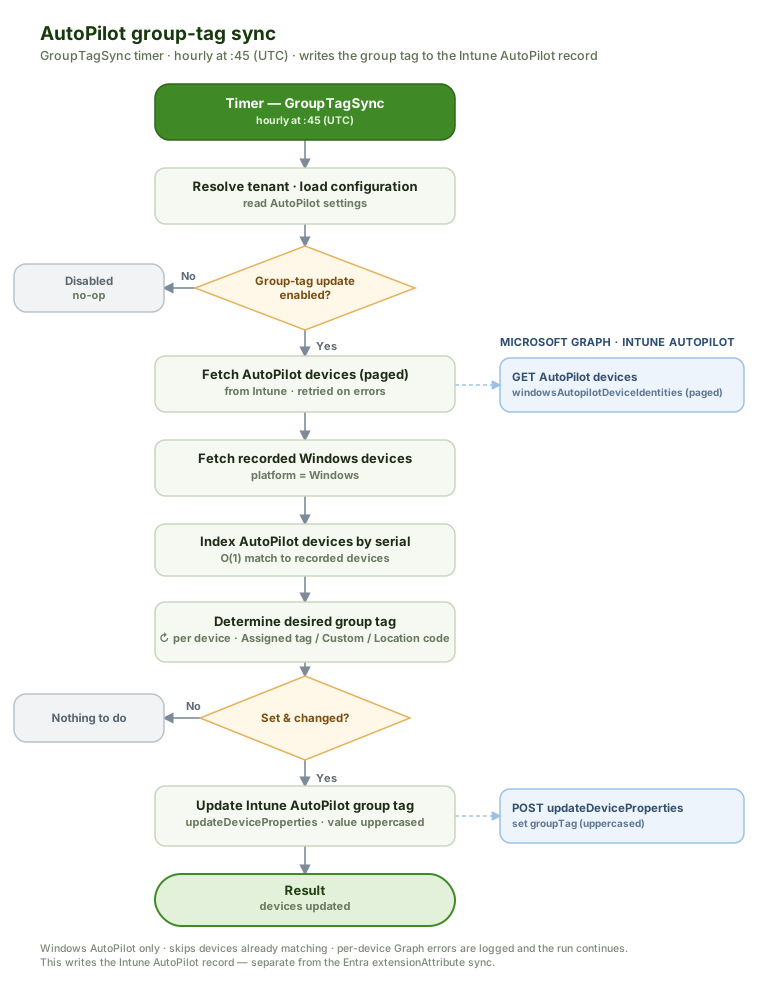
When Update AutoPilot Group Tags is on, a scheduled job (hourly) writes each Windows AutoPilot device’s group tag in Intune from the configured source. This is separate from the Azure AD Sync extension-attribute job, which writes the same value to an Entra device attribute instead: