

Tracking your requests
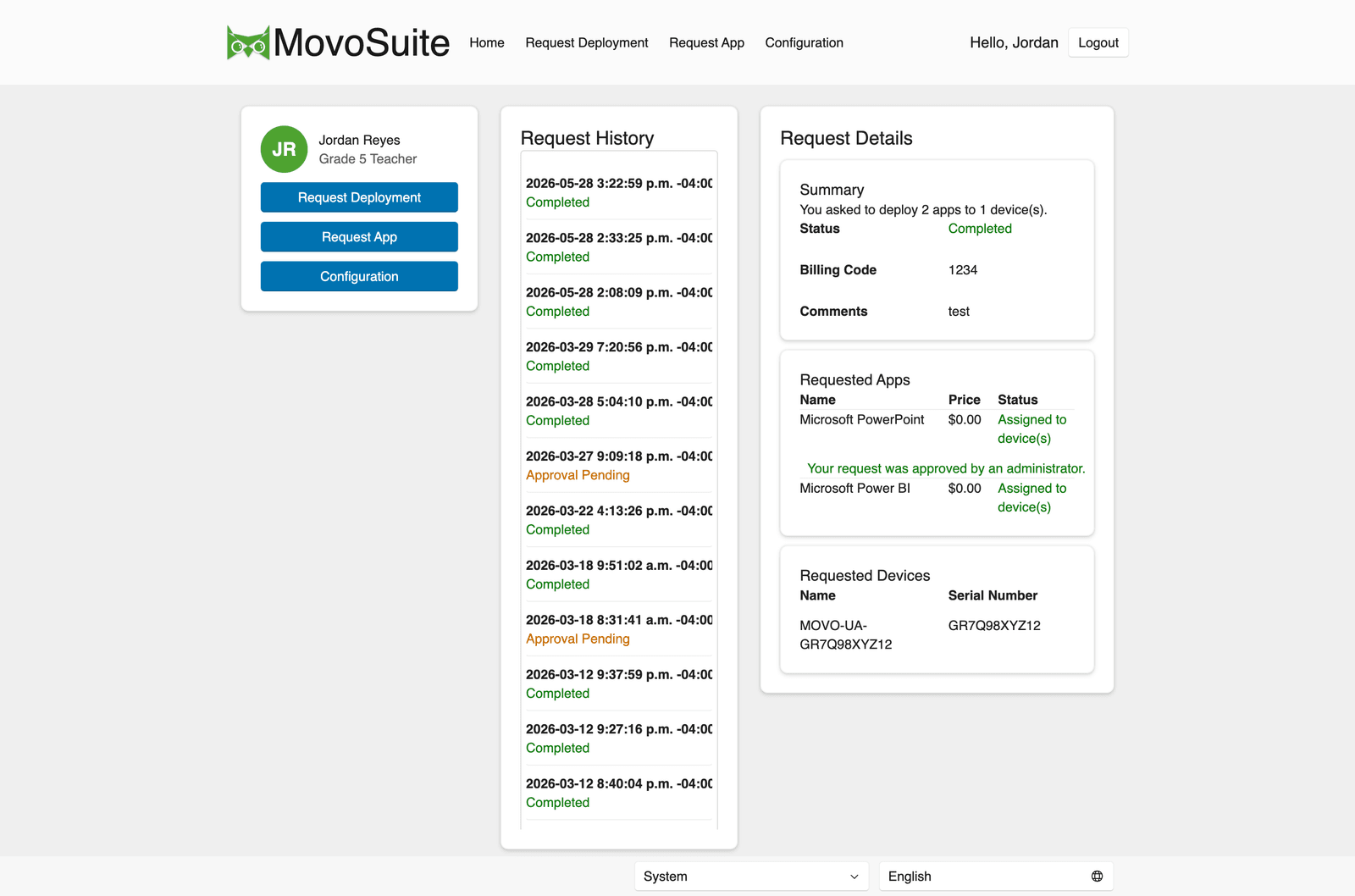
Every request you submit appears in the request list on the home page. MovoSuite can also send you email and Teams updates according to the options you selected.
On the home page
Section titled “On the home page”After you submit, you’re returned to the Home page and your request appears at the top of the request list with its current status. Refresh the page to see status changes.
In your inbox
Section titled “In your inbox”MovoSuite emails you as a request moves through its stages. Depending on the request type and your administrator’s settings, you may receive:
| When it’s sent | |
|---|---|
| Request received | Right after you submit. |
| Deployment started | When MovoSuite begins assigning apps. |
| Deployment completed | When all apps are processed (and approved, if required). |
| Purchase received / completed | For app requests, on submission and when licensing is done. |
Live (Actionable) emails
Section titled “Live (Actionable) emails”If your administrator enabled Actionable emails and you’re using a current version of Outlook (desktop or mobile), your status email updates itself every time you open it — so the most recent message always reflects the latest status. You don’t need to hunt for the newest email in the thread.
If you use a different mail client, or your administrator hasn’t enabled this feature, you’ll receive ordinary HTML emails instead — the information is the same, it just doesn’t refresh in place.
In Teams
Section titled “In Teams”If you selected Notify me in Teams and your organization configured the MovoSuite Teams bot, MovoSuite sends request updates to you in Teams. Teams delivery is independent of the live-email setting.
How long things take
Section titled “How long things take”- After the completion email, apps usually appear on devices within about 20 minutes, often sooner.
- Requests that need approval wait until the approver acts. A location-specific approver handles the request first when one is configured; a central approval follows only when the administrator enabled two-stage approval.
If a request looks stuck
Section titled “If a request looks stuck”Requests occasionally stall — for instance, waiting on an approval that hasn’t been actioned. You can’t reprocess a request yourself, but your IT administrator can from the Requests area. If a request has been sitting far longer than usual, contact them and reference the request from your email or the home-page list. See Troubleshooting.