

Requests
The Requests section has two views: Deployment Requests and Purchase Requests. Each lets you browse submitted requests and inspect their details.
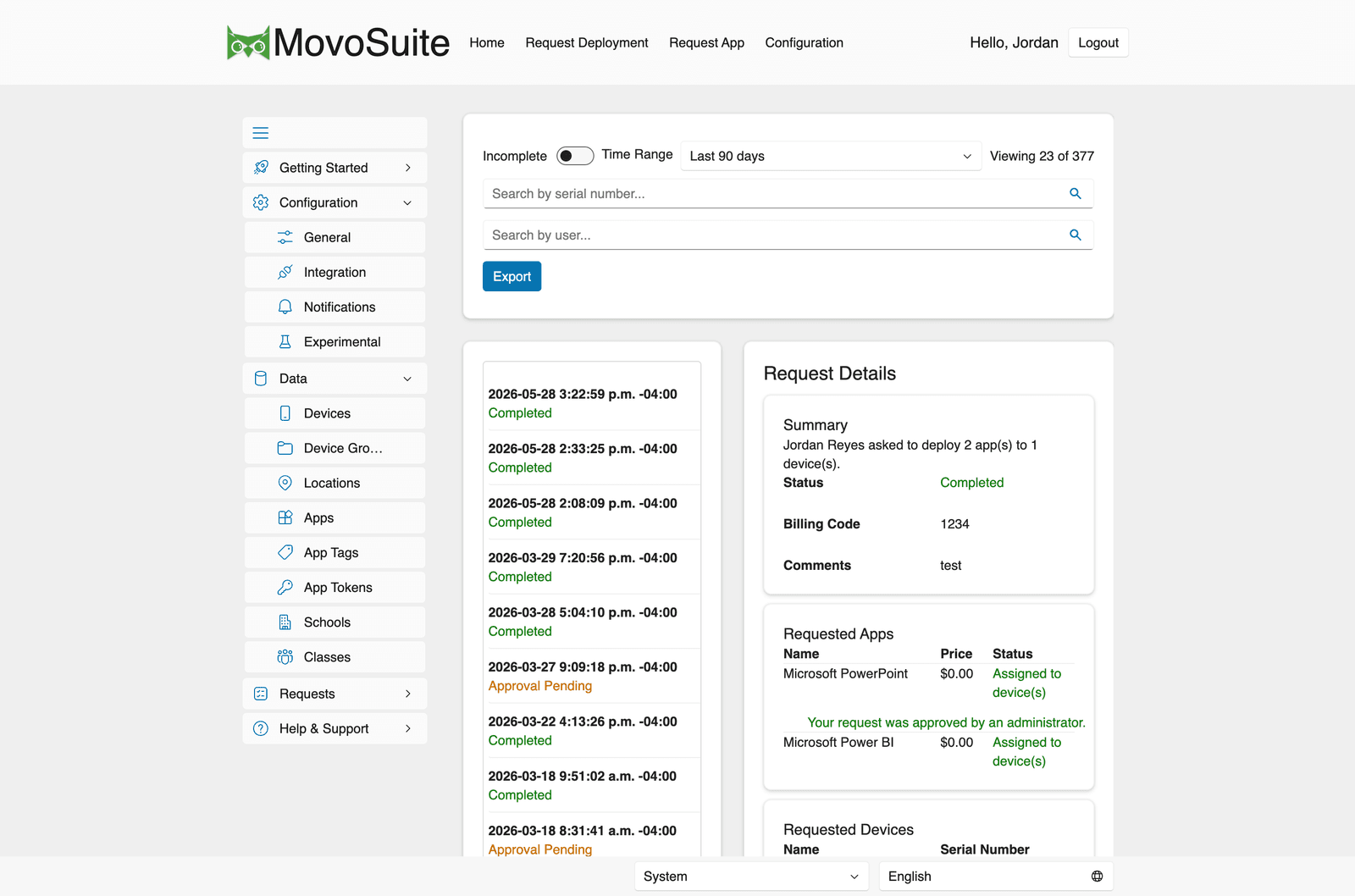
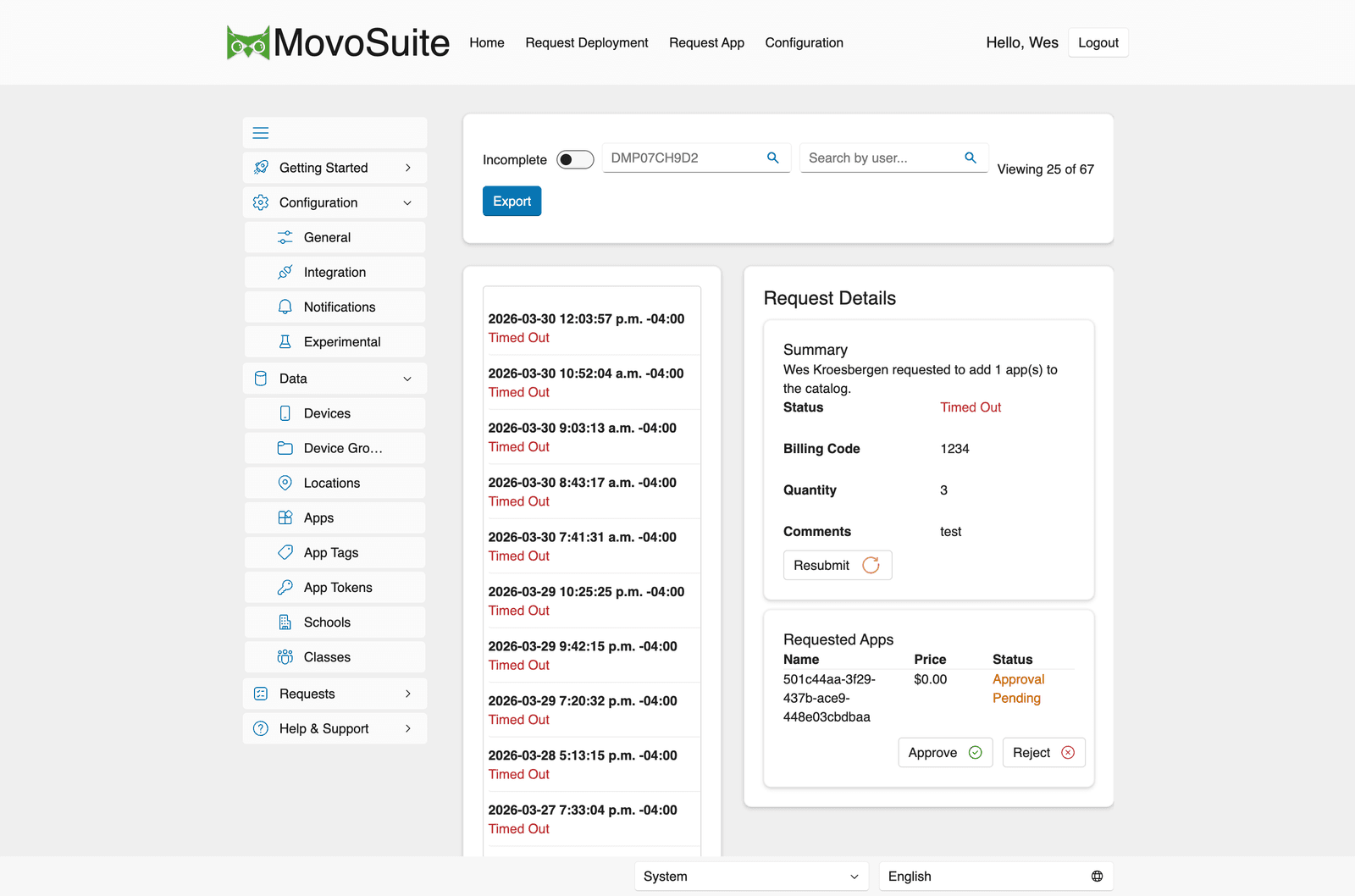
Filtering and browsing
Section titled “Filtering and browsing”- Incomplete toggle — show only requests that haven’t finished.
- Time Range — limit to a window (e.g. Last 90 days); the header shows how many of the total are displayed.
- Search — by device serial number, or by user.
- Export — export the filtered list.
Selecting a request opens Request Details: a summary (who requested what, status, billing code, comments), the Requested Apps (with price and per-app status), and the Requested Devices.
How a request moves
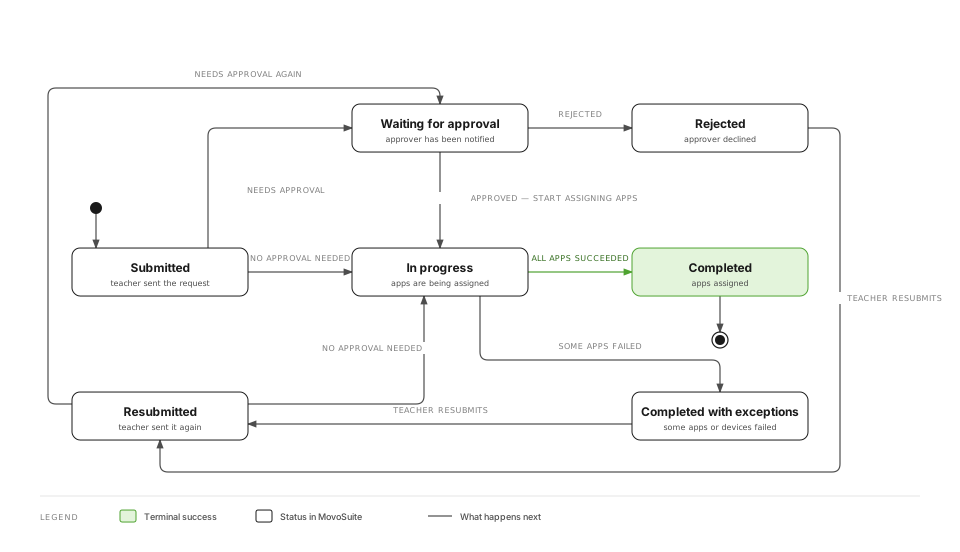
Section titled “How a request moves”The status shown in Request Details is one of the states below. A deployment request:
A purchase request adds a Waiting for licences holding state when no licences are available yet:
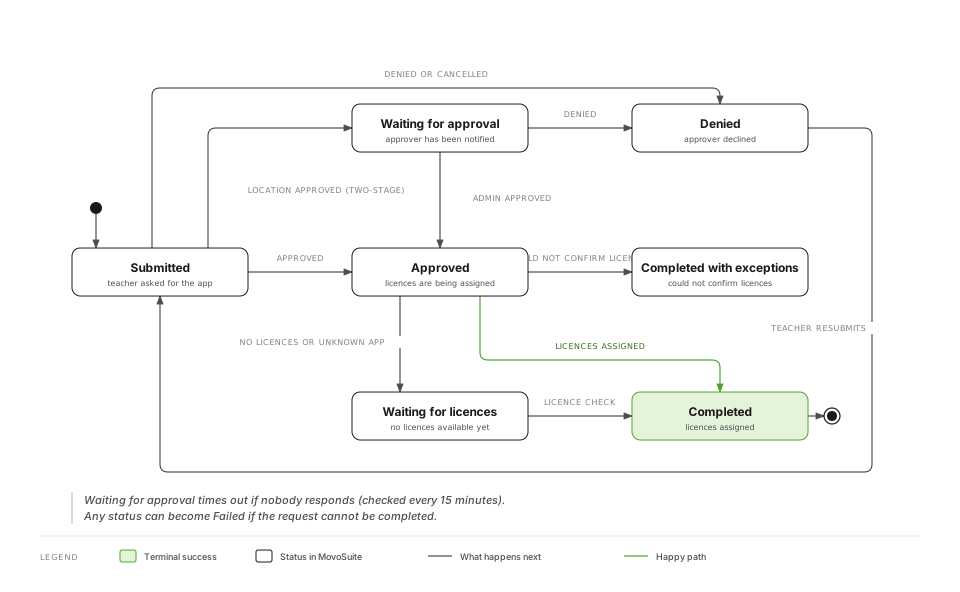
When approval is required, who acts and in which order depends on whether a location approver is configured and whether two-stage approval is on (see General):
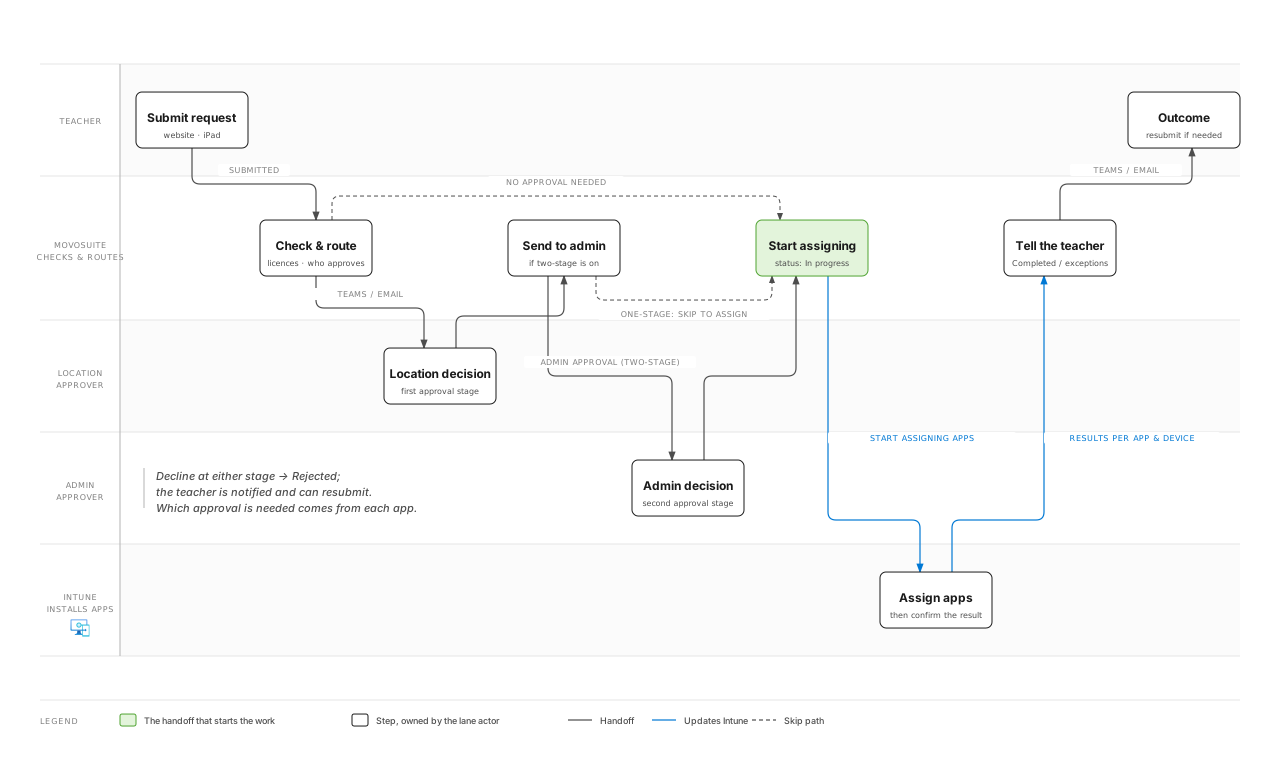
Reprocessing a stalled request
Section titled “Reprocessing a stalled request”If a request appears stuck, you can reprocess it from its detail view. This is the fix when a teacher reports a request that’s been “in progress” far longer than usual (teachers can’t reprocess their own — see Tracking your requests).
Deployment and purchase assignments are processed by storage-queue triggers as work arrives; if nothing is moving at all, check the backend and Application Insights and the Scheduled actions.