Device groups
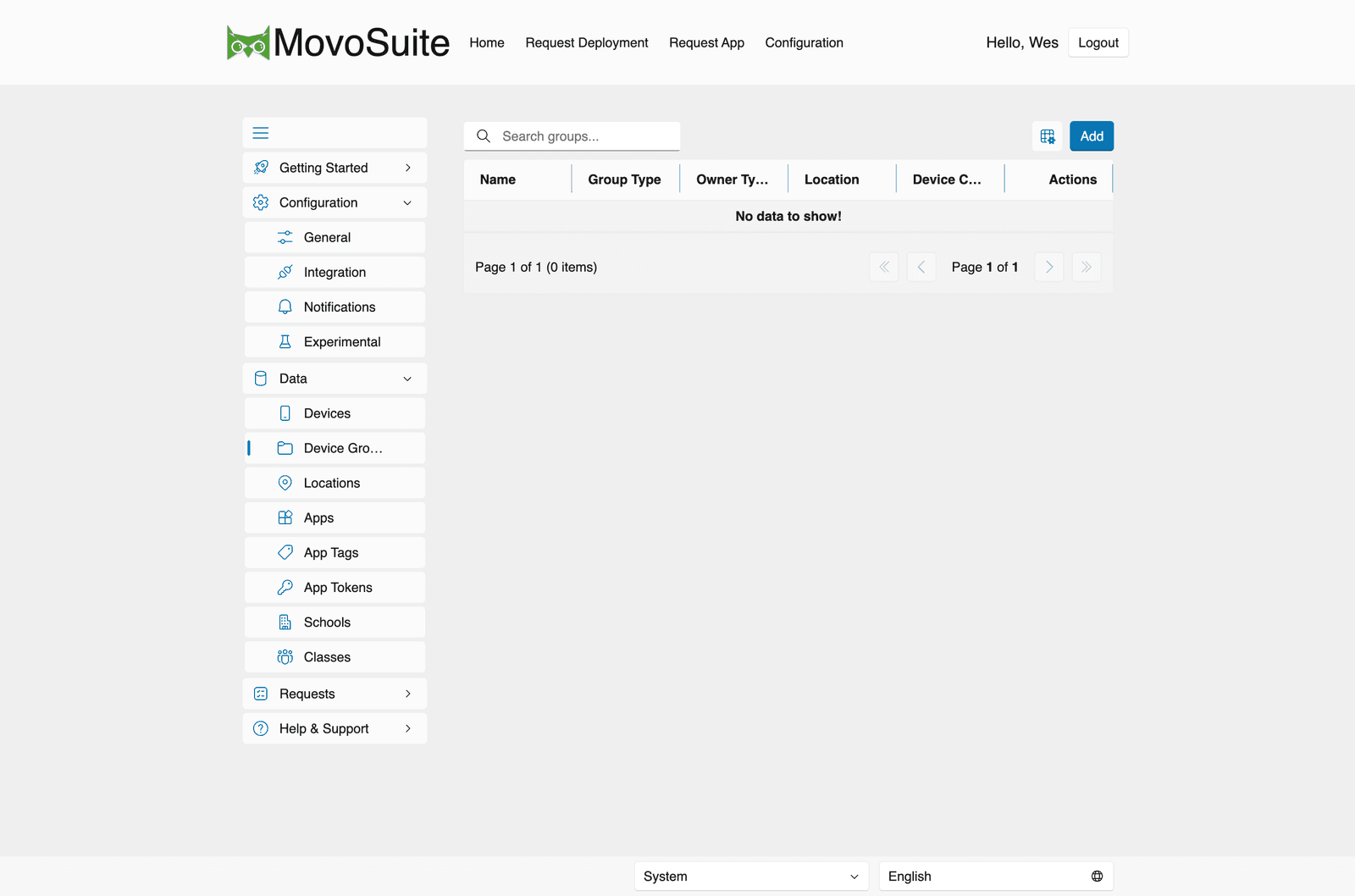
Data → Device Groups lists the device groups MovoSuite knows about. Each row shows:
| Column | Meaning |
|---|---|
| Name | The group’s display name. |
| Group Type | The kind of group — one of Grade (default), Classroom, Cart, AutoPilot, iOS, Mac, Android, Field Tech, Self Service, or Personal. |
| Owner Type | What scopes the group — Location (default), Admin, or User. |
| Location | The location the group is bound to, if any. |
| Device Count | How many devices are currently in the group. |
Use Add to create a new group. MovoSuite also creates device groups automatically as
part of location provisioning (default prefix Z-DG, set
under General → Naming). During self-service deployment,
MovoSuite adds and removes devices from the appropriate groups to drive installs and
removals in Intune.
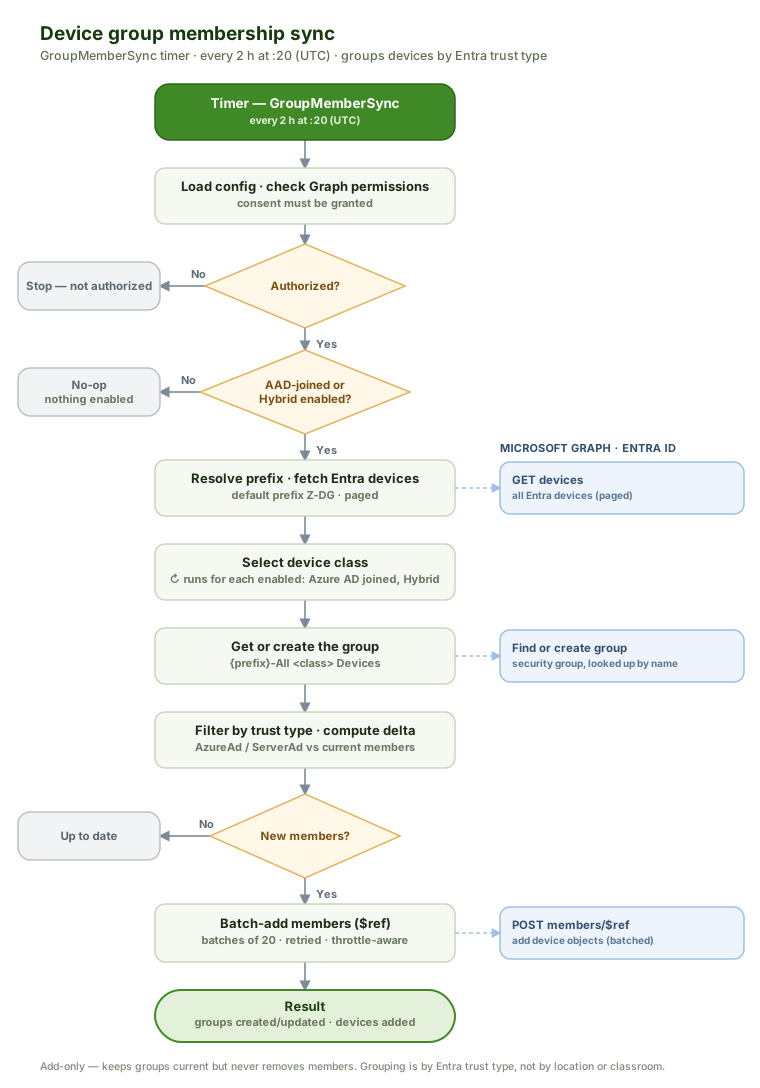
A scheduled membership sync also keeps the built-in Azure AD joined and Hybrid Azure AD joined device groups populated, sorting devices by their Entra trust type: