Integration
Configuration → Integration has three tabs: Asset Data, Device Naming, and Azure AD Sync.
Asset Data
Section titled “Asset Data”
Pulls additional device information (such as asset tags matched to serial numbers) from an external source so MovoSuite can use it for naming and grouping.
- Asset Data Integration — the source type (e.g. Excel).
- SharePoint Site Name / Document Library Folder Path — for the Excel source, the SharePoint site and the folder holding your Excel asset files.
- Auto-create Missing Groups — automatically create a device group if a device is assigned to one that doesn’t exist yet.
- Enable Connection — turn on syncing MovoSuite data from this source.
- Auto-create Missing Locations — automatically create locations when their short codes are missing from MovoSuite.
The import runs every 2 hours (or on demand) and merges asset records into MovoSuite by matching on serial number:
Excel import columns
Section titled “Excel import columns”When importing devices (here or via the Devices / Locations import), MovoSuite recognizes these columns:
| Column | Purpose |
|---|---|
| Device Name | Desired display name for the device. |
| Grades | Optional. Comma/semicolon-delimited grades, e.g. K,1,2 or K;1;2. |
| Room | Optional. Room assignment. |
| Location Code | Optional. Short code of the device’s location. |
| Device Groups | Optional. Comma/semicolon-delimited groups, e.g. Cart 1,Loaner Pool. Requires a location, since groups are bound to the location. |
| Asset Tag | Optional. The device’s asset tag. |
| Custom Group Value | Optional. A custom grouping value. |
| AutoPilot Group Tag | Optional. Value to set as the device’s AutoPilot Group Tag. |
Where each column ends up — the MovoSuite device row first, then Intune, Entra ID and the device name:
Device Naming
Section titled “Device Naming”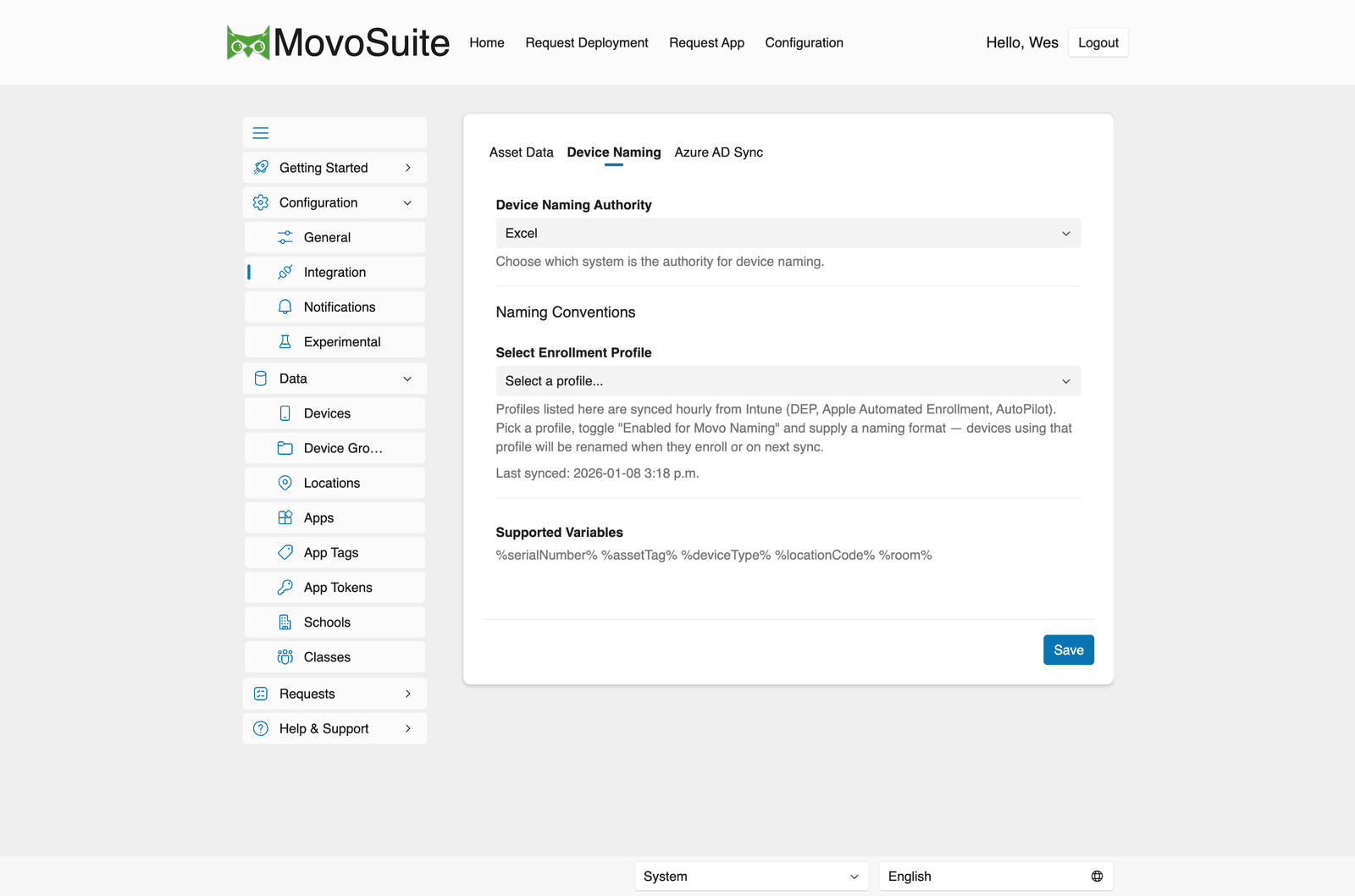
- Device Naming Authority — which system is authoritative for device names (e.g. Excel).
- Naming Conventions — pick an enrollment profile (DEP / Apple Automated Enrollment / AutoPilot profiles, synced from Intune every 2 hours), toggle Enabled for Movo Naming, and supply a naming format. Matching devices are renamed when they enroll or on the next sync.
- Supported variables:
%serialNumber%,%assetTag%,%deviceType%,%locationCode%,%room%.
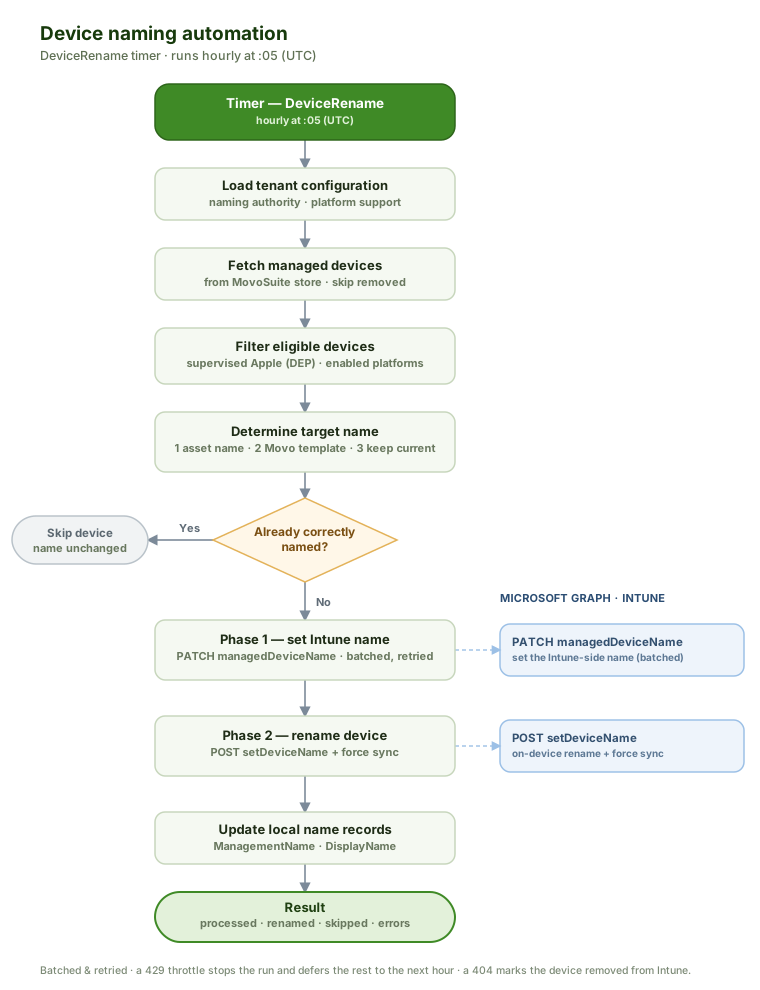
Renaming itself runs on a schedule — see Scheduled actions.
At a glance, the rename automation works like this:
Azure AD Sync
Section titled “Azure AD Sync”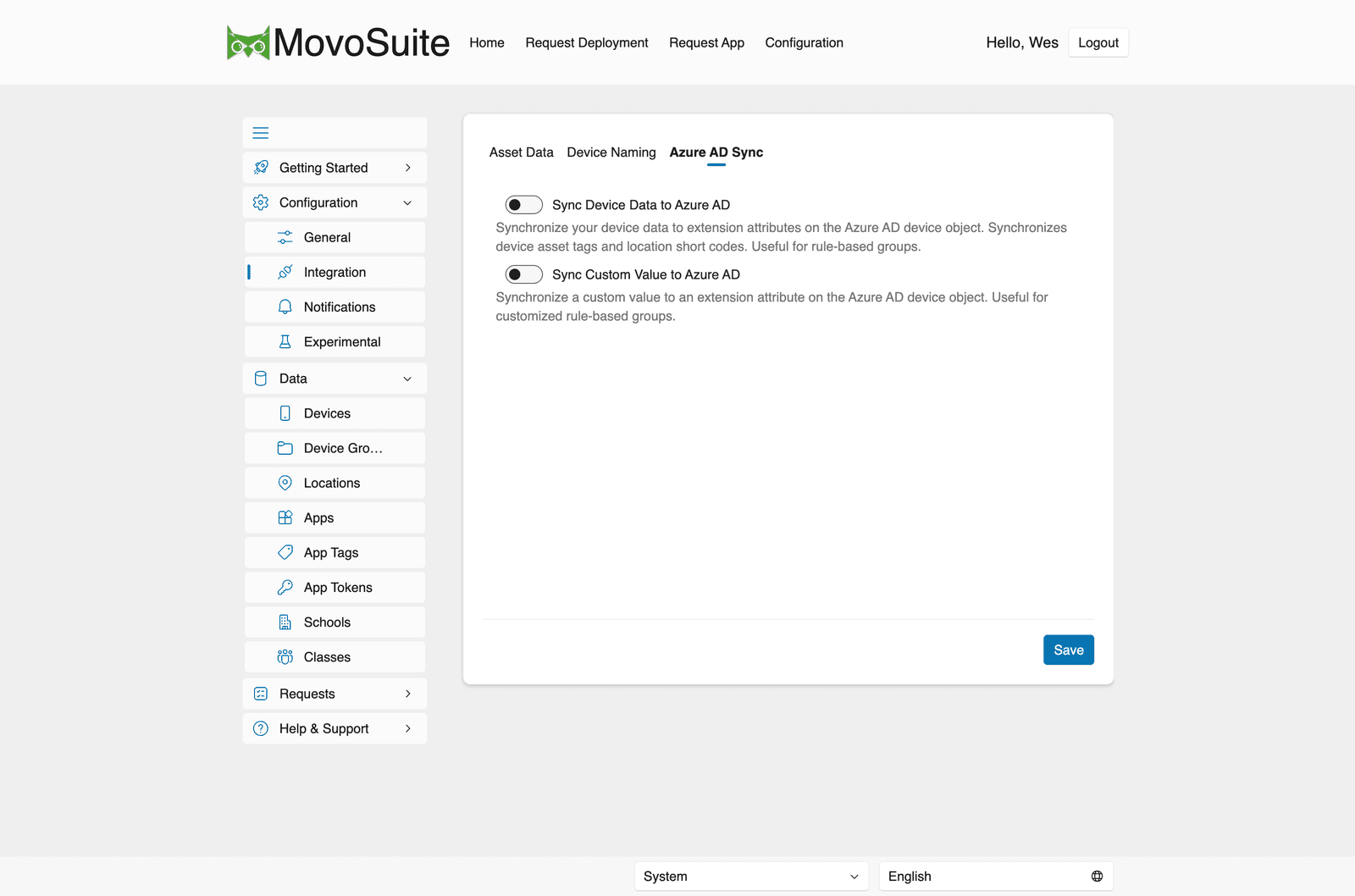
- Sync Device Data to Azure AD — write device data (asset tags, location short codes) to extension attributes on the Entra ID device object, useful for rule-based dynamic groups.
- Sync Custom Value to Azure AD — write a custom value to an extension attribute for customized rule-based groups.
The extension-attribute sync runs hourly and only writes values that have changed: