
Request a new app
If the app you need isn’t in the catalog yet, submit an app request. This asks your administrator to procure the licenses from Apple. Once purchased, the app appears in the catalog and you can deploy it like any other.
Step by step
Section titled “Step by step”-
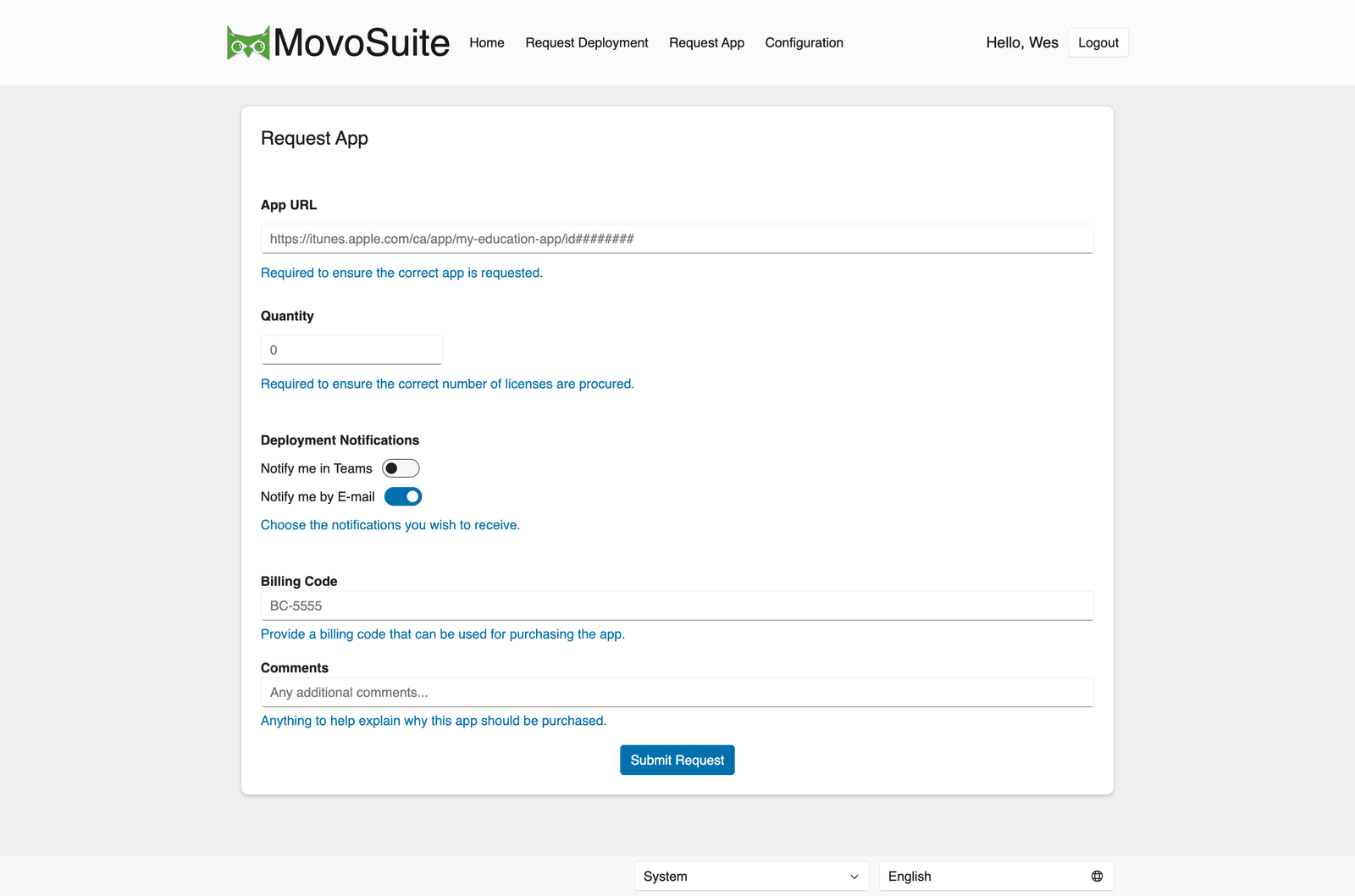
Go to Request App.
-
In App URL, paste the app’s Apple App Store link. Find it by searching the App Store (or any search engine) for the app and copying its
apps.apple.comURL. -
Set Quantity — how many licenses to purchase. A good rule of thumb is one per device that will run the app.
-
Under Deployment Notifications, choose Notify me in Teams and/or Notify me by E-mail.
Teams updates are sent when you select them and your organization has configured the MovoSuite Teams bot. They are independent of live-email settings.
In the native iOS app, requests are anonymous. Selecting either notification option makes Email Address required. MovoSuite uses the address as the delivery target for email and to identify your Teams account for a direct message. Selecting Teams does not also opt you into email notifications.
-
Fill in Billing Code and Email Address if they’re shown and required (your administrator can configure these fields).
-
Add anything useful in Comments — for example, which class it’s for or why you need it. This helps the approver decide quickly.
-
Click Submit Request. You’ll receive an acknowledgement that your request was received.
What happens next
Section titled “What happens next”- Your administrator (or procurement team) reviews and purchases the licenses.
- When the purchase completes, the app appears in the catalog — then deploy it with a normal deployment request.